
Coding Agents for Non-Developers: What Claude Code Means for Your Business
A real-estate agent with zero coding background built a listing-to-LINE tool in one weekend. Coding agents explained — who should start now, who should wait.
A Bangkok real-estate agent, zero coding background, spent one weekend with a coding agent — an AI that works in your terminal, reads your folders, and runs commands. By Sunday night she had a small app that pulls new condo listings every morning, formats them into her LINE broadcast message, and saves the ones matching each client's brief. No developer was ever hired. Total software budget: about the cost of one dinner.
Tools like Claude Code were built for programmers, but the underlying shift — AI that acts on your files and systems instead of just chatting — is quietly becoming the most underused advantage available to small-business operators. 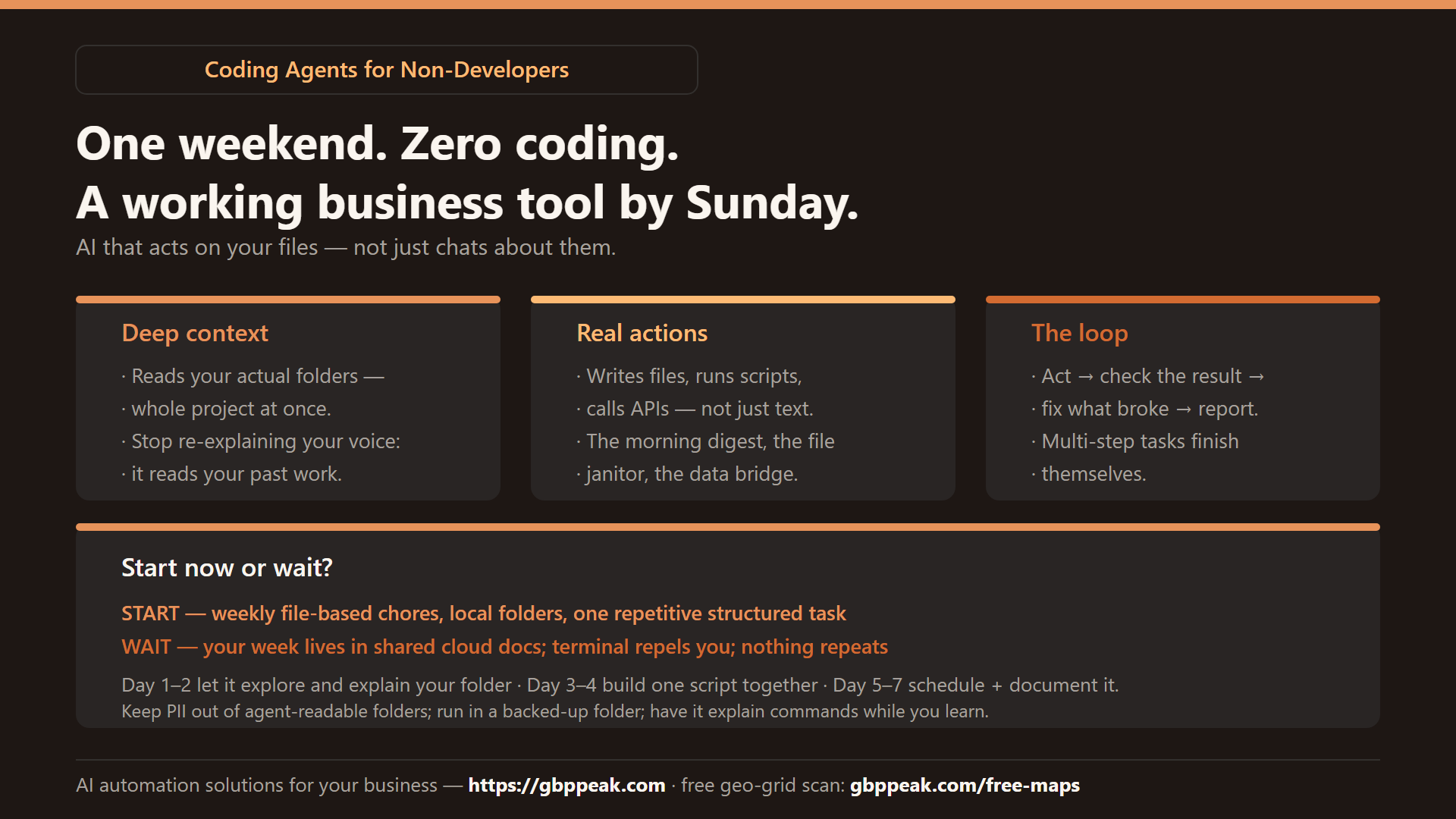
This guide explains what coding agents actually are, who should touch them today, and who should wait.
A coding agent is an AI wrapped in an "agentic harness": instead of only answering in a chat window, it can read your local files, run terminal commands, and execute multi-step tasks — try, observe the result, decide the next step, repeat. This makes it powerful for defined, file-shaped work: data cleanup, document pipelines, small internal tools. It's still weak for collaborative cloud work (shared docs, live team editing) and strategy discussions, and the terminal interface imposes a learning tax on non-technical users. Worth adopting now if your work is file-based and repetitive; wait if your week lives in shared cloud documents. :::
Chat vs. agent: the three-pillar difference
A standard AI chat is a responder. You paste, it answers, you copy the answer back out. A coding agent is a doer. Three capabilities make the difference:
| Capability | Chat window | Coding agent |
|---|---|---|
| Context | Whatever you paste | Reads your actual folders — whole project at once |
| Action | Produces text | Writes files, runs scripts, calls APIs |
| Loop | One answer per prompt | Multi-step: acts, checks the result, corrects itself |
The loop is the headline. A chat can tell you how to reformat 500 spreadsheet rows; an agent can do it, verify the output opens, fix the rows that broke, and report back. The developer's version of this is "run the test, see it fail, change the fix" — no human in between. The same loop works on invoices, listings, review exports, and content pipelines.
What non-developers actually build with it
The pattern that repeats across non-technical users: small, boring, personal tools that remove a recurring chore.
- The morning digest — an agent script that pulls yesterday's sales, bookings, and reviews into one formatted page
- The file janitor — renames, sorts, and deduplicates the mess of photos and PDFs your business accumulates
- The content pipeline — voice memo → structured outline → brand-voice draft → formatted posts for each platform
- The data bridge — moves rows between systems that don't talk to each other (export CSV → clean → import)
# what a first-week project list looks like for a non-coder
day 1-2: install the agent, let it explore your work folder,
         ask it to EXPLAIN what it found (learn what it sees)
day 3-4: pick ONE recurring task with files in/out;
         ask it to build the script; run it together
day 5-7: schedule it (the agent writes the cron line too),
         document it (the agent writes its own README)
Two superpowers emerge from the file access. First, deep context: point the agent at your folder of past content and style notes, and you stop re-explaining your voice — it reads it. Second, self-improvement: the agent's rules live in plain files, and the agent itself can edit them — when it hits a recurring annoyance, it can often build its own fix.
The honest friction points
The terminal tax
These tools live on the command line. For visual workers, that's a real barrier — no drag-and-drop, no buttons, plain text. It's learnable in a weekend (and the agent itself will teach you — ask it to explain any command), but it's a tax, and you should decide consciously whether the payoff covers it.
The collaboration gap
Agents are solo tools on local files. Your team's week lives in Google Docs, Notion, LINE groups — spaces the agent can't safely enter yet. If your deliverables are shared documents, expect export/import friction that breaks the flow. (This is the same "collaboration surface" problem we covered in where AI automation actually works.)
Execution vs. thinking
Agents shine at doing: "take these 50 entries and format them." For thinking — "should we reposition the salon for a younger crowd?" — a plain conversation is still the better tool. Agents optimize for closing loops fast; strategy requires slow, messy dialogue.
Who should start now — and who should wait
Start now if:
- You already manage files locally (spreadsheets, exports, content folders)
- One repetitive, structured task eats hours weekly
- You're the solo decision-maker on your systems — no committee
Wait if:
- Your work lives almost entirely in shared cloud documents
- The terminal genuinely repels you — the tax will beat the benefit
- Nothing you do is file-shaped and repetitive (rare, but real)
{
  "fit_check": {
    "high_value_signals": [
      "weekly exports/imports between systems",
      "content pipeline you repeat alone",
      "local folder of templates and past work"
    ],
    "low_value_signals": [
      "week spent inside shared cloud docs",
      "work is live conversation, not files",
      "one-off creative projects, no repetition"
    ]
  }
}
Is it safe to give an AI access to your files?
The fair question, with a fair answer: a local agent on your machine is generally more private than pasting the same material into a web chat — but the model provider still processes what the agent sends it. Rules that hold regardless of tool:
- Don't point it at folders with customer PII you wouldn't otherwise upload
- Keep credentials in environment files the agent reads but doesn't rewrite
- Ask it to explain any command before running it the first few weeks — you learn, and it stays honest
- Keep your work in a synced/backed-up folder so any bad edit is reversible
The direction of travel
Claude Code and its cousins proved the agentic model works. The next phase is already visible: these powers moving into the tools you already use — the browser, the document editor, the CRM. The specialized terminal tools of today are the standard features of tomorrow.
The businesses that benefit first are the ones with file-shaped habits already in place: defined inputs, local archives, repeatable outputs. If that's not you yet, that's the actual preparation — not learning to code, but organizing your work into files an agent can someday read. And for the marketing half of that preparation, know your map position: a free geo-grid scan at https://gbppeak.com/free-maps shows where your Google Maps ranking stands across your service area.
Frequently Asked Questions
What's the difference between a standard AI chat and a coding agent?
A chat is a conversational engine — it predicts text. A coding agent uses the same brain with hands: it reads your files, runs commands, and executes multi-step tasks end to end, checking its own work along the way. Chat answers; the agent finishes.
Do I need to be a programmer to use one?
No, but you need tolerance for a text-based terminal and a willingness to ask the agent to explain what it's doing. Non-coders who succeed share one habit: they start with one small, well-defined task and let the tool prove itself before expanding.
Can coding agents help with non-coding work?
Yes — data cleanup, file organization, document generation, internal mini-tools, moving data between systems. The requirement isn't code, it's structure: a defined input, a repeatable transformation, a file output.
Is my data safe with an agent reading my files?
Safer than pasting the same content into a web chat in most setups, but the provider still processes what's sent. Keep customer PII out of agent-readable folders, protect credentials, run in a backed-up folder, and have it explain commands while you're learning.
Final note
The gap between "an idea" and "a finished tool" has never been smaller. You don't need to become technical — you need one repetitive, file-shaped chore and one weekend. The agent handles the rest, including teaching you the commands as it goes.