
From Assistant to Teammate: The 4 Pillars of Truly Functional AI
The copy-paste relay isn’t AI adoption — it’s a typing workout. Context, action, proactivity, automation-building: the four pillars and a 90-day sequence.
Watch a Bangkok sales team "using AI" and you'll see the copy-paste relay: open the CRM, copy the customer's history, paste it into ChatGPT, get a draft reply, copy that back, then manually update the deal stage and log the follow-up. The AI is smart. The workflow around it is manual labor. Everyone's busy, nothing is automated, and the "AI adoption" is really a typing workout.
The gap between that and an AI that behaves like a teammate is structural, not intellectual. 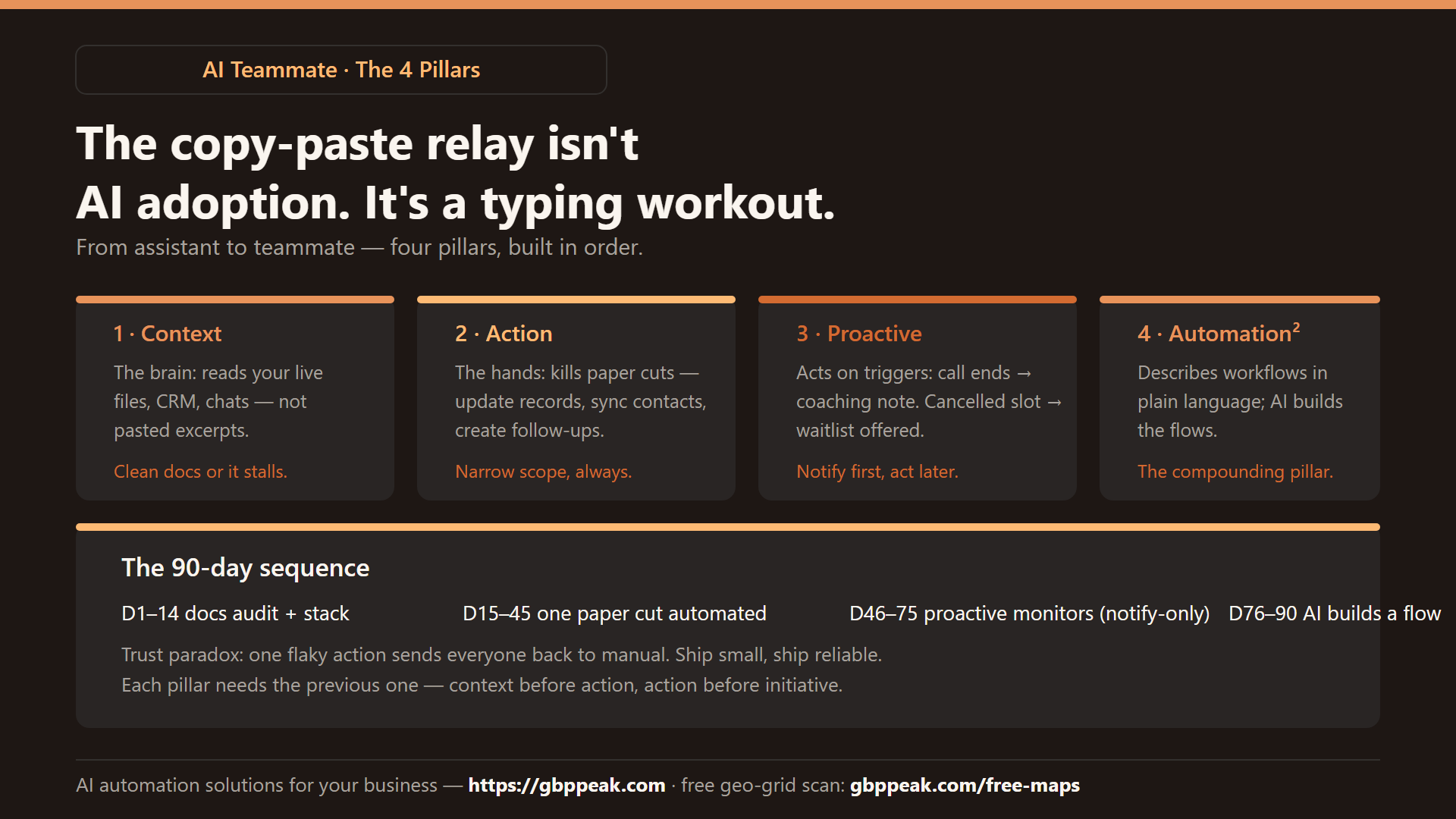
Four pillars take you across — and none of them requires an enterprise budget anymore.
The move from AI assistant to AI teammate rests on four pillars. Universal Context: the AI reads your live data (CRM, files, chats) instead of pasted excerpts. Universal Action: it can perform the small "paper cut" tasks — updating records, syncing contacts, creating follow-ups — through APIs or middleware like n8n. Proactive AI: it monitors and acts on triggers (call ended → coaching note sent) rather than waiting for prompts. Automation Creating Automation: it builds new workflows from plain-language descriptions. Build them in that order; each pillar needs the previous one. :::
The relay-race problem
Copy-paste AI usage fails for a boring reason: the AI is an island. It knows the world but not your business — your price list, your customer history, your last conversation. Meanwhile the "AI features" inside individual apps have the opposite problem: they see their one app and nothing else. Neither has both the context to decide and the hands to act.
| Chat island (ChatGPT pasted) | In-app AI feature | AI teammate (4 pillars) | |
|---|---|---|---|
| Context | Whatever you paste | One app only | All your systems, live |
| Action | Produces text | Inside one app | Across your stack |
| Trigger | You, every time | You open the app | Events, automatically |
| Cost | Hidden: your minutes | Subscription | Setup, then near-zero |
Pillar 1 — Universal Context: the AI learns your business
An out-of-the-box model doesn't know your internal project codes, your procedures, or last week's sales notes. Fixing that is less about "training AI" and more about plugging it in to your real data: your files, your chat exports, your booking sheet, your price list.
Fluency matters as much as access. The AI needs to understand your naming conventions and how your data fits together — which comes from one thing people underestimate:
# The documentation audit (an hour, once)
- Where does each kind of truth live? (prices, hours, policies, customers)
- Is it labeled consistently? ("Svc price" vs "service_price" vs "ราคา" = AI debt)
- Can a new hire find any answer in under 2 minutes?
  If not, an AI can't either.
Messy data creates AI debt — every inconsistency becomes a future error or a human intervention. Clean documentation is no longer an internal nicety; it's the fuel the teammate runs on.
Pillar 2 — Universal Action: from talking to doing
Context is the brain; action is the hands. The target is the "paper cut" tasks — individually tiny, collectively exhausting:
- Update the deal stage in the CRM after each call
- Sync a customer's new phone number across three tools
- Create the follow-up task, schedule the reminder, log the note
Give AI write access through narrow, secure interfaces — API scopes or middleware like n8n — and it stops describing the situation and starts fixing it. Start with one paper cut, automate it fully, then expand. The principle from our two-layer automation guide applies here too: narrowly-scoped action beats broad access, every time.
# scoping action safely
permissions:
  crm: "update: deal_stage, notes"     # not: full account access
  calendar: "create: events"
  messaging: "draft only"              # human sends, always at first
Pillar 3 — Proactive AI: it acts before you ask
Reactive AI waits for a prompt. A teammate notices things. In practice, proactivity is just triggers plus judgment:
- After each call ends → transcript summarized, coaching note sent to the rep within a minute
- A booking is cancelled → waitlist automatically notified, slot offered
- A keyword trend appears in reviews ("slow service" three times this week) → flagged to the owner Monday, with quotes
The trust factor is real: one badly-timed or wrong proactive action can undo months of confidence. The rollout pattern that works — drafts first, sends later:
phase 1: proactive AI only NOTIFIES ("here's what I'd do") — human confirms
phase 2: it acts on low-risk paths (internal notes, waitlist offers)
phase 3: full autonomy only where 100+ clean precedents exist
Pillar 4 — Automation Creating Automation
The frontier: AI that builds the workflows. Yesterday, automating "alert the team when a high-priority ticket arrives" meant an hour in a visual builder — so it never got built, because the chore was too small to justify the effort. Now you describe it, and the agent writes the flow.
This collapses the cost of innovation. Every "too small to automate" task — and a small business has hundreds — becomes a one-sentence request. This is the compounding pillar: each automation you don't build is interest you keep paying.
The honest hurdles
- Infrastructure lag — the "glue" between your tools (APIs, n8n) has to exist first; for common tools it's a weekend, for odd ones it's a project
- The awareness gap — most teams still think AI = chat window; the connected version exists today
- The trust paradox — if early automations are flaky, people revert to manual and never come back; ship small, ship reliable
- The last mile — no off-the-shelf product gives you all four pillars; you assemble them, and the assembly is the moat
A 90-day pillar sequence for a small team
- Days 1–14: documentation audit + pick the stack; kill AI debt in your two most-used data sources
- Days 15–45: one paper-cut automation end-to-end (context + action, narrowly scoped)
- Days 46–75: add two proactive monitors in notify-only mode; sample outputs weekly
- Days 76–90: let the AI build its first small automation from your description; keep human review on anything customer-facing
And as the AI takes over the operational layer, keep your own eyes on the strategic map: a free geo-grid scan at https://gbppeak.com/free-maps shows where your Google Maps ranking holds and breaks across your service area — context for decisions no automation should make alone.
Frequently Asked Questions
Is "Universal Context" the same as training an AI model?
No. Training teaches general knowledge and is slow and expensive. Context here means connecting the AI to your live data — files, exports, databases, chats — usually via retrieval or direct access, so its answers reflect your business today.
What are "paper cut" tasks?
Small, repetitive administrative actions — updating a status field, syncing a phone number, logging a follow-up — each trivial alone but collectively a steady drain on time and attention. They're the first and best target for AI action.
How do I keep an action-capable AI from making mistakes?
Scope it narrowly: specific fields it may write, specific paths it may follow, drafts-not-sends for anything customer-facing, and a weekly sample review. Narrow scope plus tested paths catches most errors before they matter.
What's the biggest risk of proactive AI?
Lost trust. One poorly-timed autonomous action can make a team abandon automation entirely. Roll out in notify-first mode, act only on low-risk paths, and require a clean track record before expanding autonomy.
Final note
Advanced AI isn't about model sophistication — it's about connectivity. Context, action, initiative, and scale: build the four pillars in order, and the chat window stops being a destination and becomes just one more doorway into a system that actually works while you sleep.