
Building Reliable AI Workflows: A Practical Guide to Evaluation Frameworks
A prompt tweak broke the clinic bot for nine days. Evals — scenarios, headless runs, assertions, baselines — catch AI regressions before customers do.
A Bangkok clinic ran an AI assistant that answered patient questions on LINE. For three months it was great. Then someone "improved" the prompt — and quietly, the bot started telling patients that walk-ins didn't need appointments. Nobody noticed for nine days. By then, the complaints had a screenshot trail and the manager had a trust problem no apology automation could fix.
This is the gap between a cool AI demo and reliable AI infrastructure. When an AI workflow answers real customers, "it worked when I built it" isn't a standard. 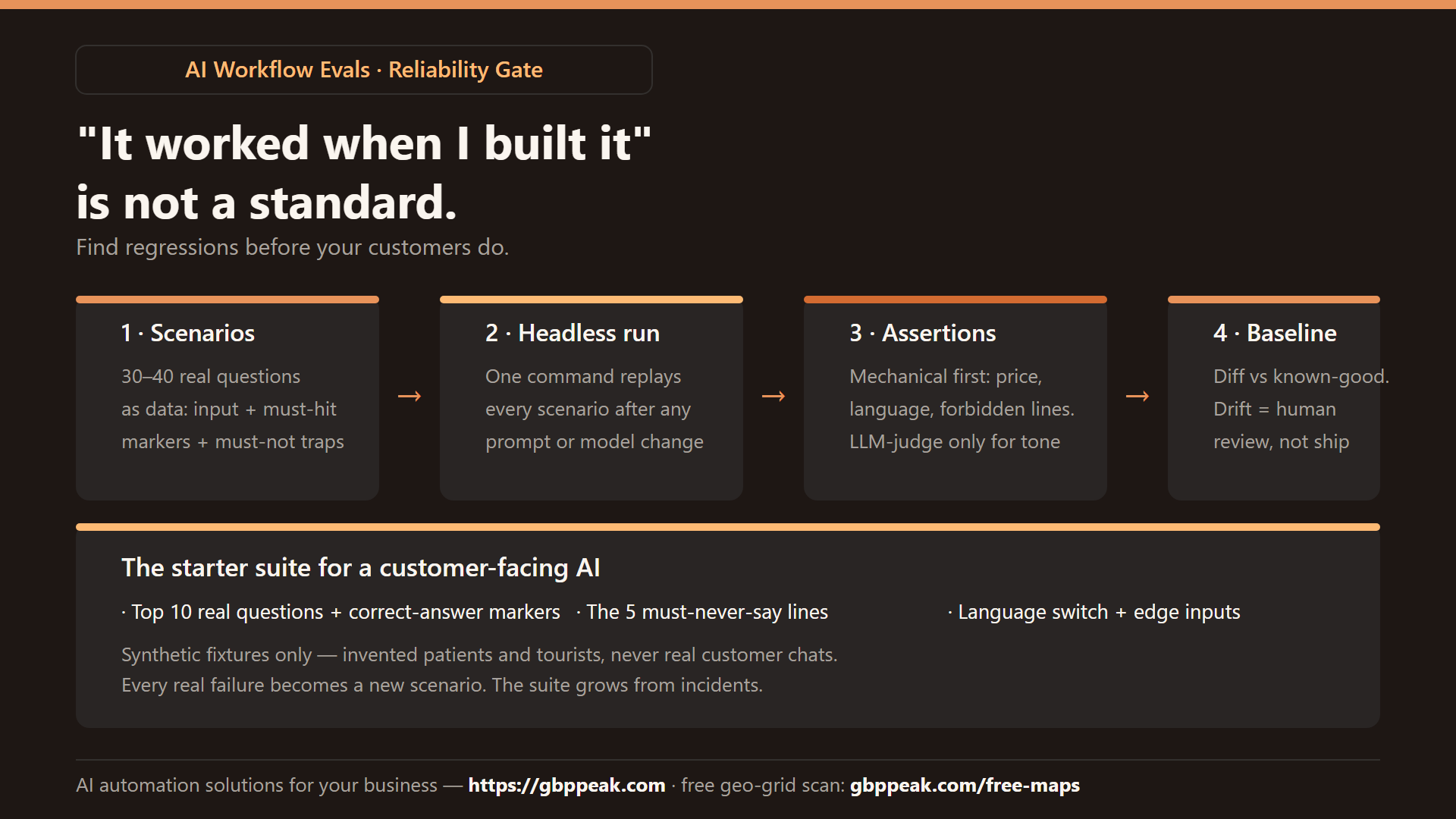
The fix is borrowed from software engineering: automated evaluations — "evals" — that run your AI against a battery of known scenarios every time you change anything.
An evaluation (eval) framework is a set of automated tests for AI workflows. Because language models are probabilistic — the same prompt can produce different answers — every prompt or tool change can silently break behavior that used to work. Evals define realistic test scenarios (inputs plus expected behaviors), run them headlessly, and compare against a stored baseline of known-good results. Mechanical assertions check hard facts (price stated correctly, no forbidden phrases); an LLM-as-judge grades softer traits like tone. The result: you find regressions before your customers do. :::
Why "vibe checks" stop working
When you build an AI workflow for yourself — draft replies, summarize reviews — testing by feel is fine. The stakes are one user's patience. The moment the workflow serves customers or a team, the math flips:
| Solo experiment | Customer-facing workflow | |
|---|---|---|
| Failure blast radius | You re-run the prompt | Dozens of customers get wrong answers |
| Changes | Rare, deliberate | Frequent ("just improve the tone a bit") |
| Detection | You notice immediately | Nobody notices — until screenshots appear |
| Standard | "Seemed good" | "Passed all 40 scenarios, no baseline drift" |
An AI that answers "do I need an appointment?" correctly 95 times out of 100 is a 5% failure rate you can't see. Evals turn that invisible risk into a number.
The anatomy of a practical eval system
You don't need an ML team. You need four pieces, all buildable with a spreadsheet mindset and a small script.
1. Tests as data, not code
Define scenarios in a structured file. Each scenario is an input plus the behaviors a correct answer must satisfy:
{
  "scenarios": [
    {
      "id": "walkin-policy",
      "input": "Do I need an appointment for a checkup?",
      "must": ["same-day slots are limited", "booking recommended"],
      "mustNot": ["no appointment needed"],
      "language": "th"
    },
    {
      "id": "price-quote",
      "input": "How much is teeth whitening?",
      "must": ["starts at ฿", "final quote after inspection"],
      "mustNot": ["exact final price online"]
    }
  ]
}
Notice the shape: not "the answer must equal X" — AI never does that — but markers a correct answer must hit and traps it must avoid. Those are checkable mechanically, 100% predictably.
2. A headless runner
A small script loops through the scenarios, sends each input to the workflow, captures the output, and checks the must/mustNot lists. Run it every time anything changes — prompt wording, model version, a new tool:
# the whole regression gate, one command
node run-evals.js scenarios.json --baseline baselines/v14.json
# → 41 passed, 2 failed, 1 drifted (warn)  — exit 1 blocks deploy
For multi-turn flows (the bot asks a clarifying question, then answers), the runner holds the session and continues until the scenario resolves.
3. Synthetic fixtures — never real customer data
The single biggest privacy mistake in AI testing: replaying real customer chats through your test suite. Instead, invent characters — a fictional patient with a history, a fictional tourist asking in broken Thai. Synthetic fixtures are realistic enough to exercise the logic and safe enough to store, share, and diff. If your eval files leak, nobody's data goes with them.
4. Effects, not just words
Advanced workflows don't only talk — they act: create a booking, write a file, update a record. A complete eval checks side effects too:
- Response correct (tone, facts, language)
- Right action taken (booking created with the right duration)
- Nothing else touched (no stray records, no wrong patient)
Mechanical checks first, LLM-judge second
Two kinds of assertion, in priority order:
- Mechanical — exact, free, instant: price present, forbidden phrase absent, Thai replies in Thai, response under 400 characters, the right file changed. Use these for core logic. They never flake and never argue.
- LLM-as-judge — a second model grades against a rubric ("does this sound warm but not over-familiar? score 1–5"). Use it only for qualitative traits mechanical checks can't see. It's fuzzy and costs tokens — treat it as an escape hatch, not the foundation.
The rule of thumb: if a human could write a precise rule for it, don't burn a judge call on it.
Baselines: the "still working" gate
A test tells you if a feature works today. A baseline tells you if it works the way it used to. Store the last known-good result set; on each run, diff against it:
release_gate:
  mechanical_failures: 0        # hard block
  llm_judge_score: ">= 4.2"     # soft block, human review
  baseline_drift: warn          # answer changed but still passes → review
Baseline drift is the sneaky one: the answer still "passes" but changed shape — different structure, different omissions. That's usually a model update quietly reshaping behavior, and you want eyes on it before customers are.
A starter eval suite for a local-business AI
If you run an AI on customer channels (LINE replies, review responses, booking confirmations), start with these 30–40 scenarios:
- The 10 most-asked questions, with correct-answer markers
- The 5 things the AI must never say (guarantees, medical claims, "no appointment needed")
- Language switching — Thai input gets Thai, English gets English
- Edge inputs: angry customer, off-topic question, competitor mention
- Side-effect checks for whatever your workflow writes
And when AI is part of how customers find you, remember the map side needs its own checkup: a free geo-grid scan at https://gbppeak.com/free-maps shows where your Google Maps ranking actually stands across your service area.
Frequently Asked Questions
Why can't I just test the AI manually?
Manual "vibe checks" work for solo experiments, but they're not repeatable and they don't scale to every change. Automated evals run the same 40 scenarios in seconds after any prompt tweak, catching regressions a human would only notice after customers did.
What is a regression in an AI workflow?
A regression is when a change made to improve one behavior accidentally breaks another. Because LLMs are probabilistic, even rewording a prompt can shift unrelated answers. Eval suites catch this by comparing against a baseline of known-good behavior.
Do automated evals cost a lot?
Each run consumes tokens, so yes, there's a real cost — but a suite of 40 short scenarios typically costs less than a coffee, versus the cost of one wrong answer reaching every customer for a week. Judge calls are the expensive part; keep them for tone only.
How many test scenarios do I need to start?
Thirty to forty covers a local-business assistant well: the top 10 real questions, the 5 forbidden statements, language switching, angry/off-topic inputs, and side-effect checks. Grow the suite from real failures — every incident becomes a new scenario.