See where your business appears on Google Maps
Measure visibility across sampled locations, compare nearby competitors, and use the results to decide what to improve next.
One free first 4×4 map, plus 50 trial points. No card needed.
Example report from public Google Maps data
Dent@paragon
“dentist Siam Paragon” · Siam Paragon
Scanned 2026-09-18 · 25 search points
Top 5 at 25 of 25 sampled points.
Numbers show this business's position in the stored results. Green: top 3. Yellow: 4–10. Grey: lower or not found (dash). A cross means the search failed.
Next: inspect weaker points and compare the businesses appearing there before choosing a change.
Open the full exampleHistorical sample, not every customer's view. This business is not presented as a customer or endorser.
How it works
Find your business
Enter your business name. Add a Google Maps or website link if you have one, then confirm the right location.
Choose a search to check
Review the suggested keywords or enter your own. Pick a service customers would search for, then check the map pin.
See your map and decide what comes next
Your first map checks 16 sampled locations. Review the ranks, inspect suggested improvements, and scan again later to compare.
Measure, improve, and check progress
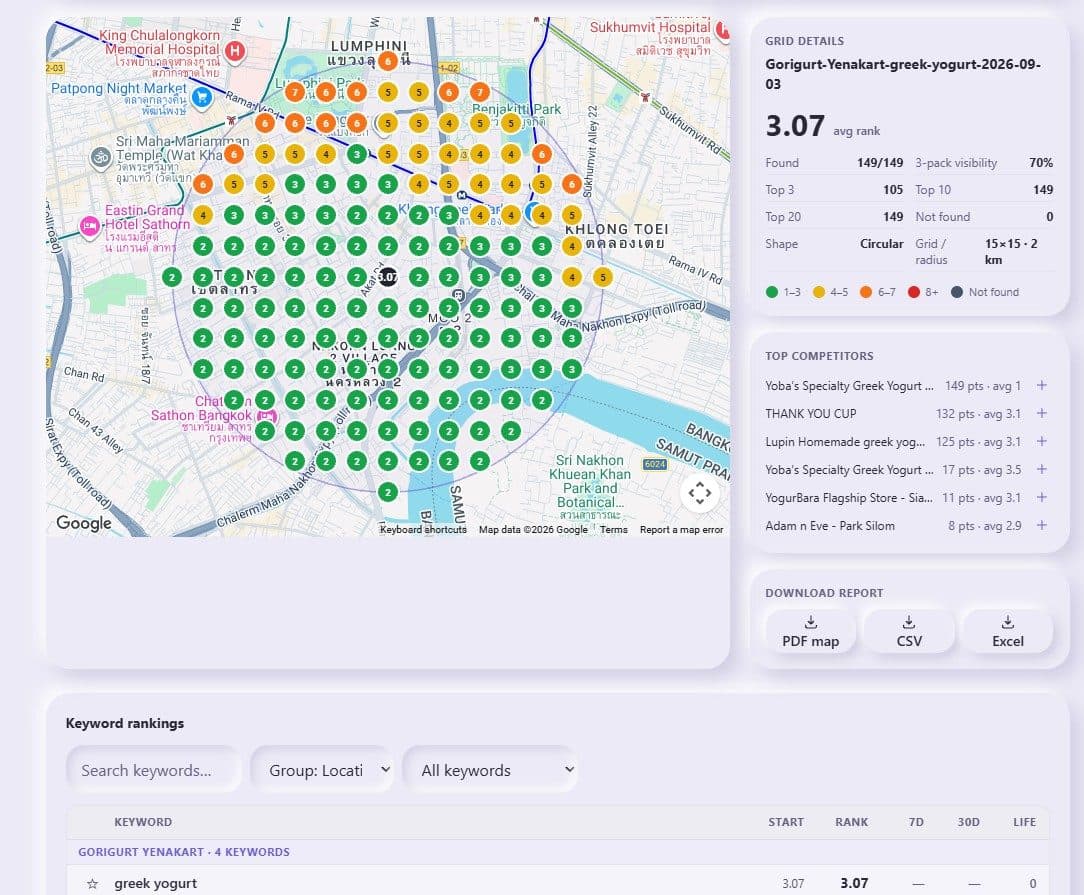
Geo-grid rank scans
Check sampled search points around your business. Compare stored maps over time, inspect competitors, and export results. Scan sizes depend on your plan and available points.
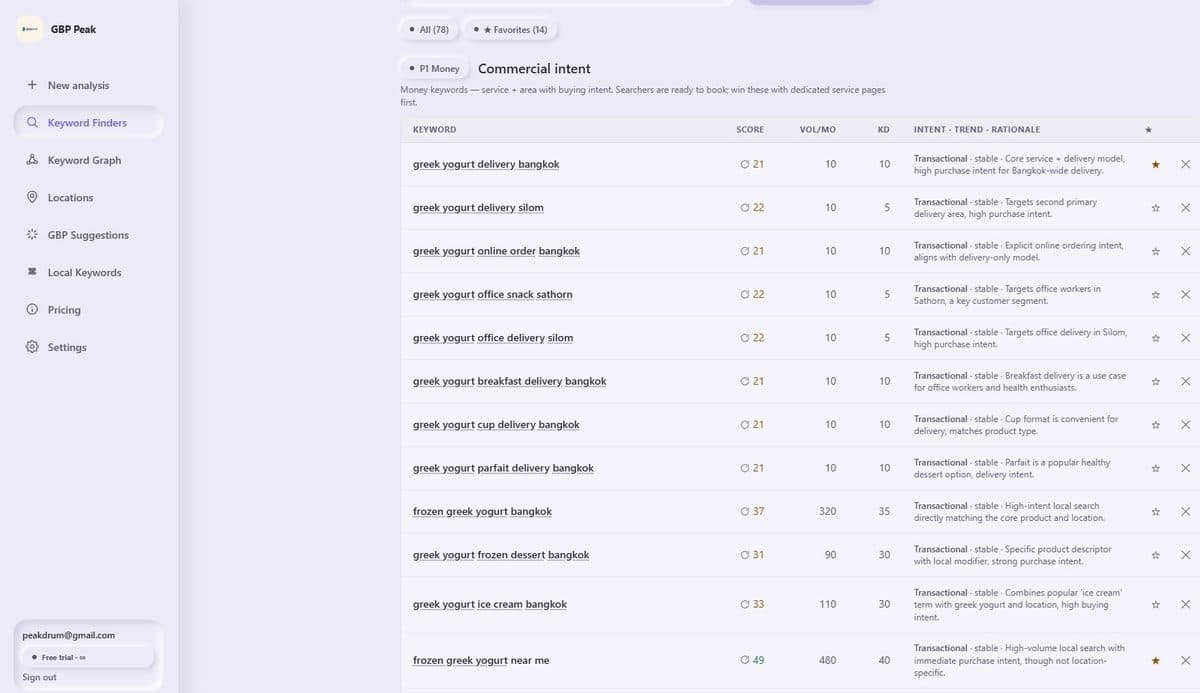
AI keyword research with real scores
Suggested keywords help you choose which searches to measure. A website is optional; check that the suggested service and area match your business.
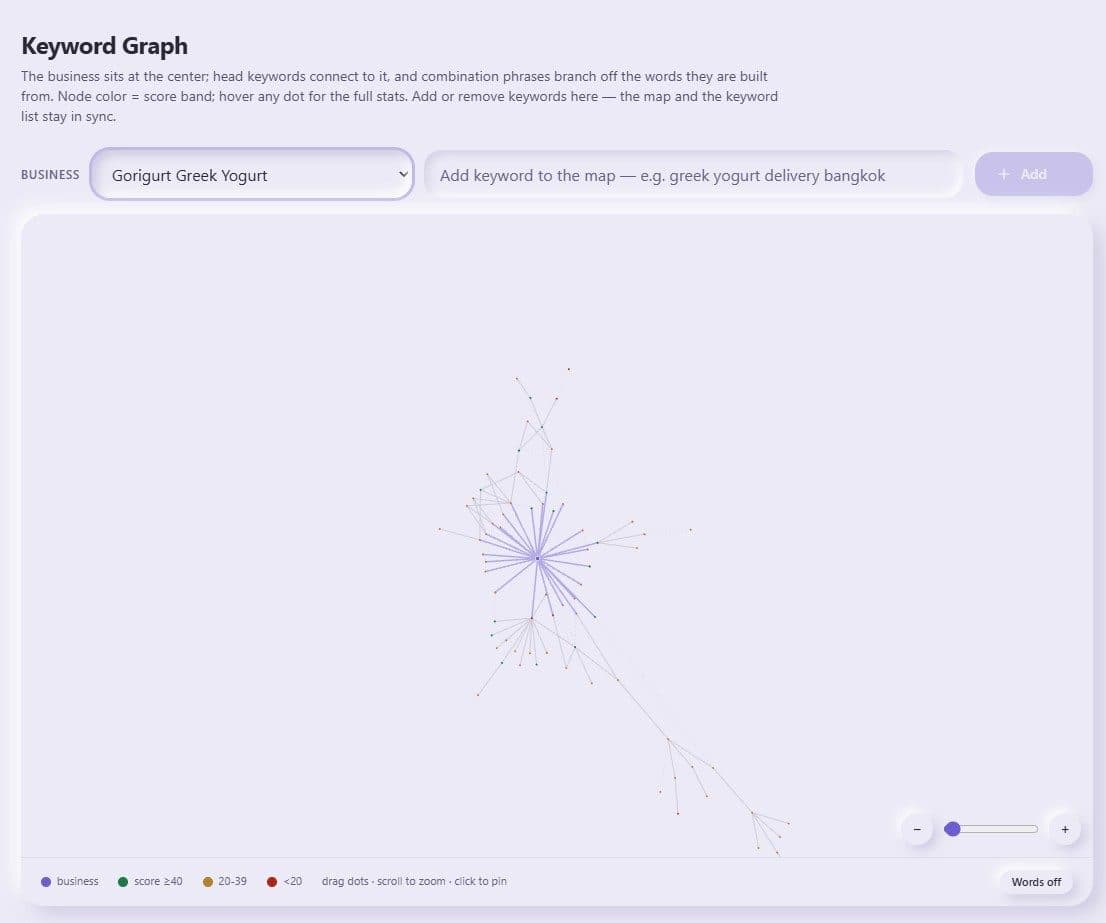
Keyword Graph
Every keyword plotted as a living map. Head terms link to long-tail combos, communities cluster naturally, and expand-search grows the graph with fresh phrases.
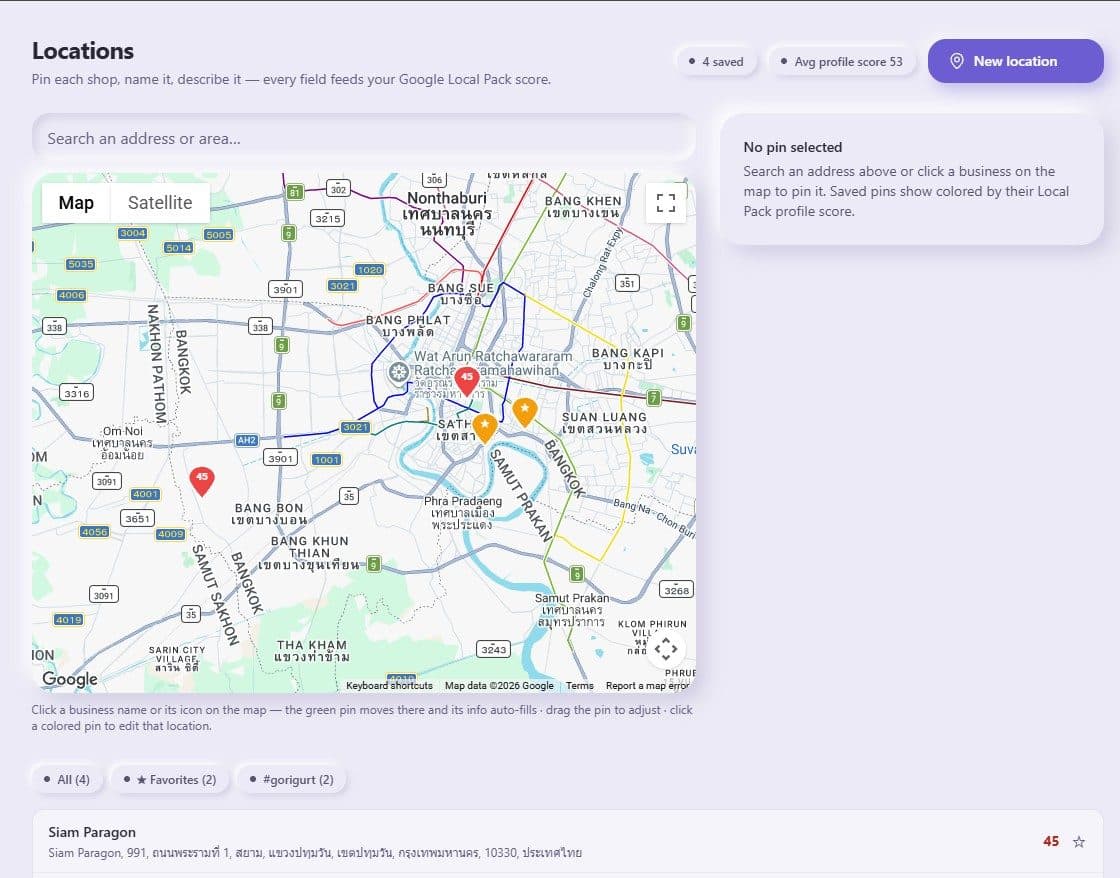
Locations on the real Google map
Click real Google listings to pin each shop. Every location gets a Local Pack profile score and feeds every scan, schedule and AI-engine check.
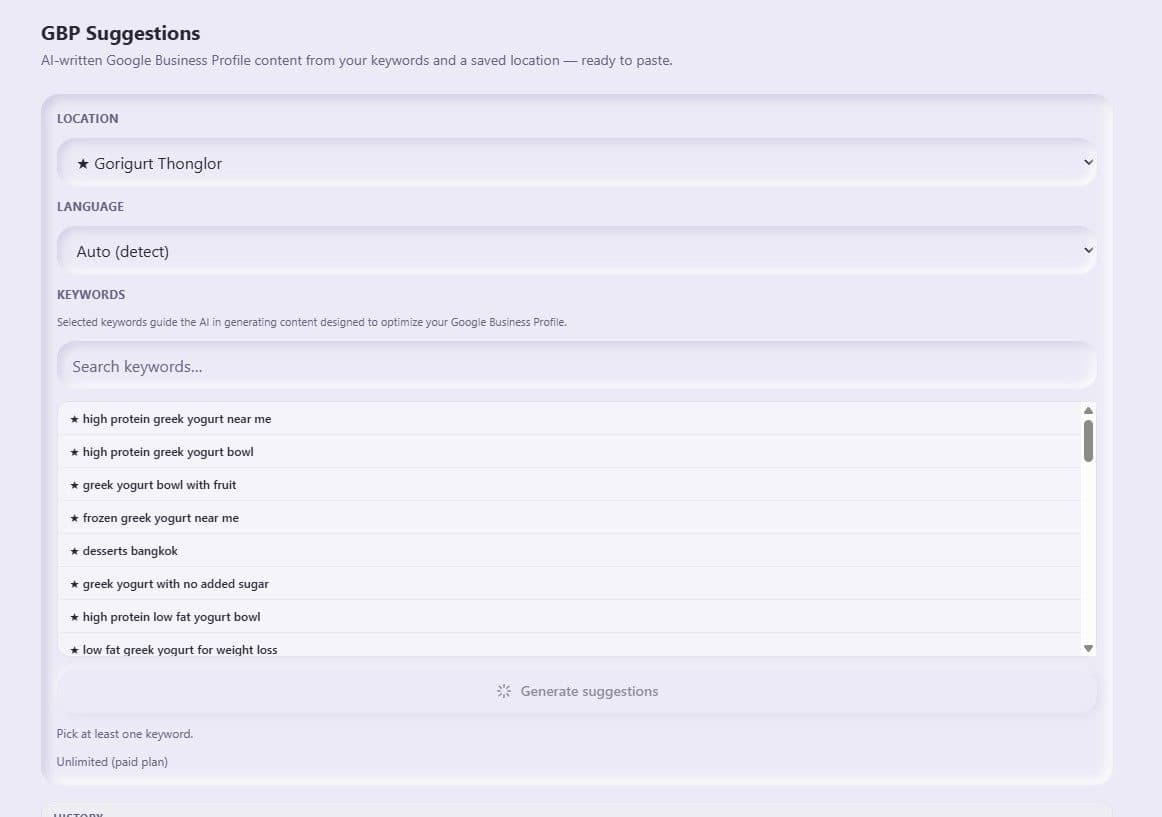
GBP Suggestions
AI writes descriptions, services and posts in your customers' language — built from the exact keywords people search. Copy, paste, done.
Rank tracking
Compare saved scans for the same keyword and branch. Dates show which measurements are being compared.
AI-engine visibility
Check which businesses available AI engines mention for a search. These checks share your map-point allowance.
Scan schedules
Weekly or monthly auto-scans, run even when you're offline.
English + Thai keywords
Multilingual keyword plans tuned to how locals actually search.
Browse free Google Maps rank maps
Explore published snapshots from selected areas in Thailand and the US. Check each scan date. These examples do not limit where you can create your own map.
Local rank questions, answered
What is a geo-grid rank scan?
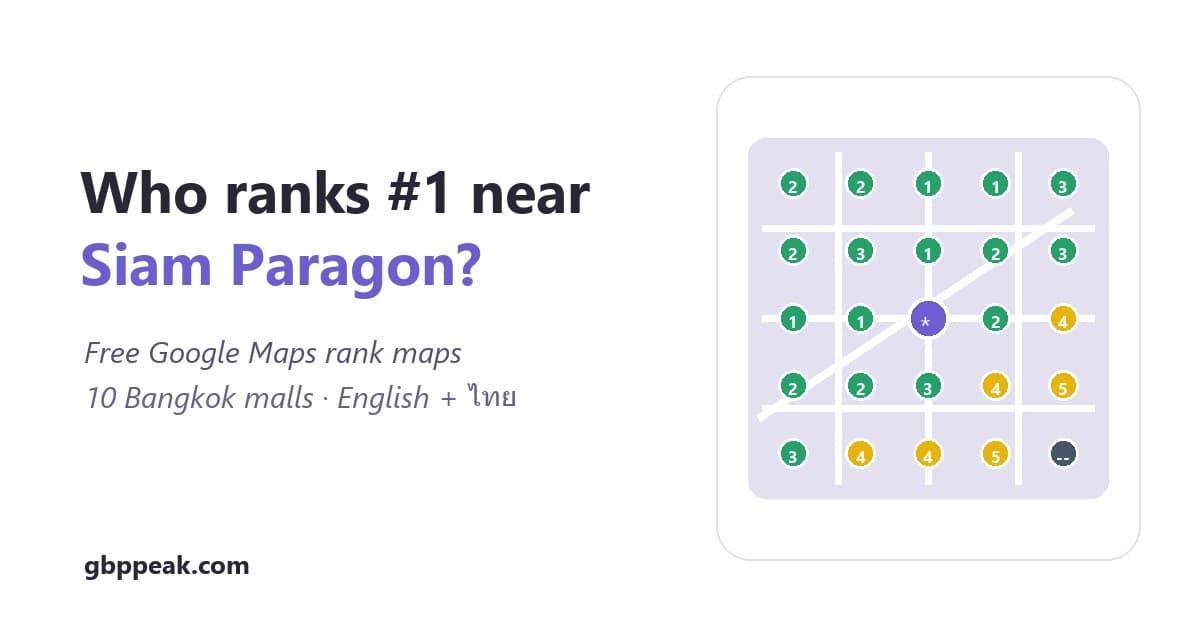
A geo-grid scan runs the same Google Maps search at many points across your area — for example 25 searches on a 5×5 grid within 1 km — and plots your rank at each one. It shows where you actually win and lose, because Google Maps rank changes street by street.
Why does my Google Maps rank differ across town?
Proximity is the strongest local-search signal. The map pack reshuffles with the searcher's coordinates, so one business rarely holds #1 everywhere. Our Bangkok grid benchmarks show how much rank varies even inside a single kilometer.
How do I rank higher on Google Maps?
Three levers, in order: complete and match your Google Business Profile (categories, services, areas served), earn steady reviews that mention what you do, and prove proximity relevance — posts, service pages and grid scans aimed at the zones where you're weak.
Does AI search affect local businesses?
Yes. Travelers and locals increasingly ask ChatGPT, Gemini or Perplexity to recommend a business. Those answers are grounded in public web and map data — your profile, reviews and site. GBP Peak checks which businesses each engine recommends, per keyword.
The underlying numbers: Bangkok local SEO benchmarks
Simple pricing
Start with a free map. Choose a plan for ongoing checks, improvement suggestions, and more branches.
Compare visibility over time. Review suggested improvements. Keep each branch's results separate.
Example: one weekly 5×5 map uses 100 points across four scans.
One weekly 5×5 map for one keyword at one branch uses 100 points across four scans. Five runs use 125 points; extra keywords, branches and AI checks use more.
Maps scans and AI checks share these points; they are not separate allowances.
Starter
$29/month
Billed in USD: $29 each month.
Two shops, track their neighbourhoods.
- 2 saved locations
- 300 points / month = 12 scans of 5×5, or 6 scans of 7×7
- Square + circle grids up to 25×25
- Rank history, PDF / CSV / Excel reports
- 3 Google Business Profile audits / month
- Or 100 three-engine AI keyword checks if you use no points on maps (one keyword across three engines; 1 point per engine).
How points work
A maximum square 25×25 map costs 625 points. It needs extra credits beyond this plan's monthly points.
Growth
$79/month
Billed in USD: $79 each month.
A few branches or a small agency client.
- 5 saved locations
- 1,000 points / month = 40 scans of 5×5, or 20 scans of 7×7
- All grid sizes up to 50×50
- Priority queue (scans run back-to-back)
- White-label PDF / CSV / Excel reports
- 10 Google Business Profile audits / month
- Or 333 three-engine AI keyword checks if you use no points on maps (one keyword across three engines; 1 point per engine).
How points work
A maximum square 50×50 map costs 2500 points. It needs extra credits beyond this plan's monthly points.
Agency
$199/month
Billed in USD: $199 each month.
Unlimited locations, heavy scanning.
- Unlimited saved locations
- 3,000 points / month = 120 scans of 5×5, or 60 scans of 7×7
- All grid sizes up to 50×50
- White-label PDF / CSV / Excel reports
- Google Business Profile audits included
- Everything in Growth
- Or 1000 three-engine AI keyword checks if you use no points on maps (one keyword across three engines; 1 point per engine).
How points work
A maximum square 50×50 map costs 2500 points from the shared allowance.
Selecting a plan does not charge you. Review it before opening Stripe.
Cancel future renewal in Settings → Manage plan → Billing portal. Included paid-plan points reset monthly with no rollover. Work pauses when points run out; no automatic overage charge.
The free trial includes 50 points. Creating an account needs no card; a paid subscription is a separate choice.
For agencies with client reporting work
Test the white-label workflow with one client for 30 days. $99 one-time, with no automatic renewal.
One free first 4×4 map, plus 50 trial points. No card needed.
See your starting point on Google Maps
Create your first map, review suggested improvements, and compare future scans. Changes to your profile remain your choice; rankings are not guaranteed.
Create my free rank map